Decode FTC Robot
Intakes balls off the floor and shoots them into the goal from anywhere on the field, using Kalman-filtered localization, an auto-aiming turret and vision-generated autonomous paths.
Jump to software ↓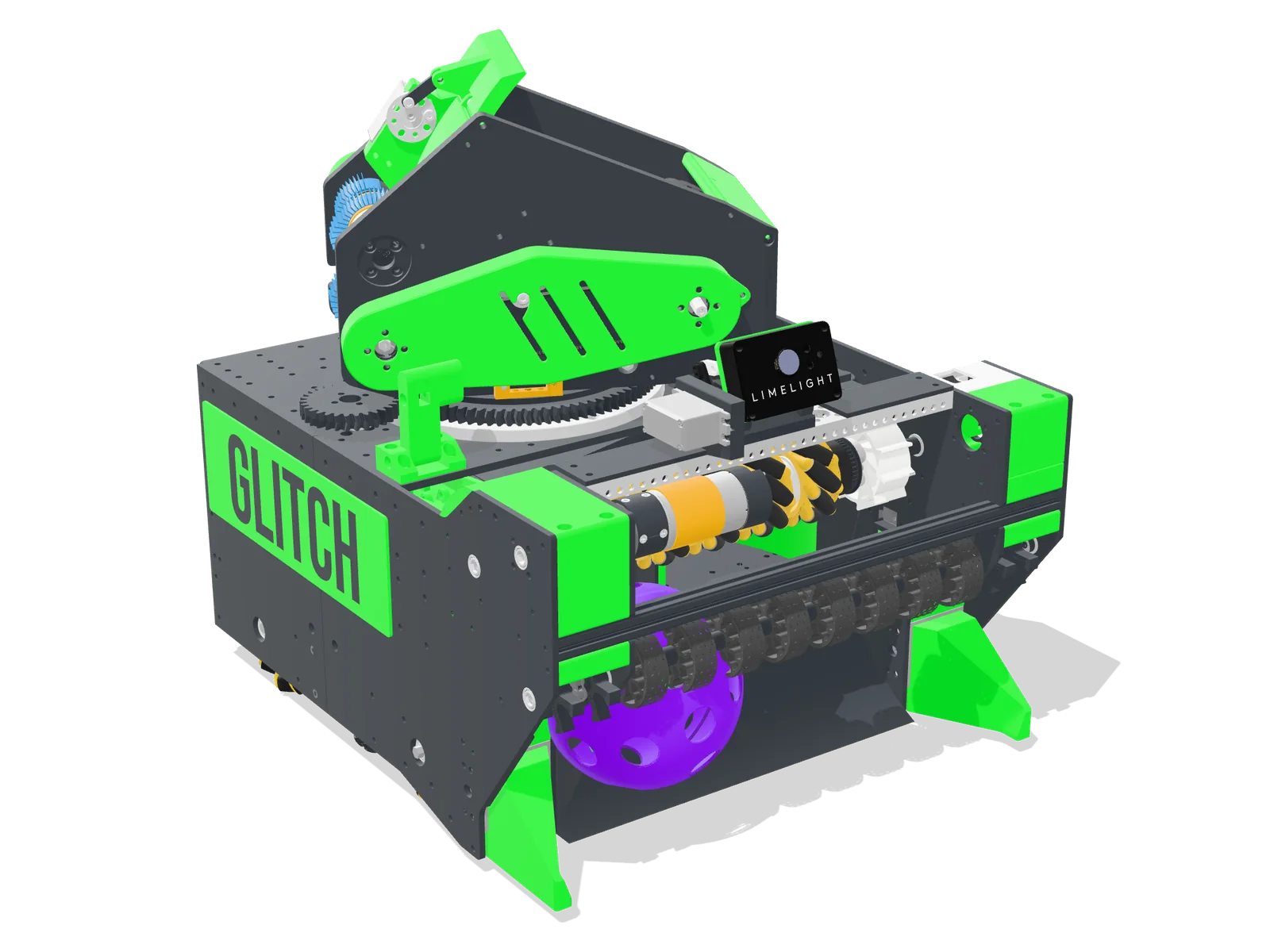
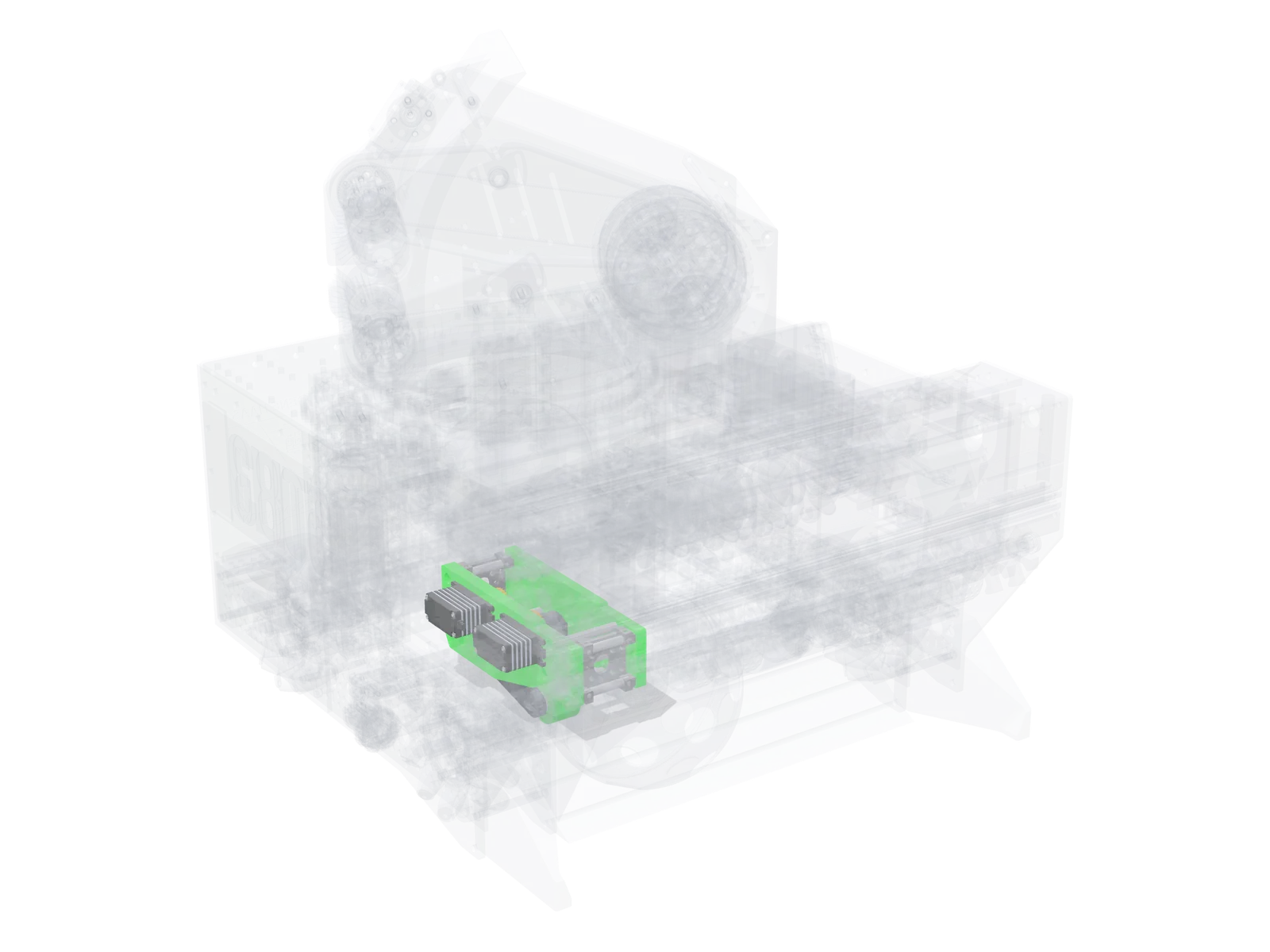
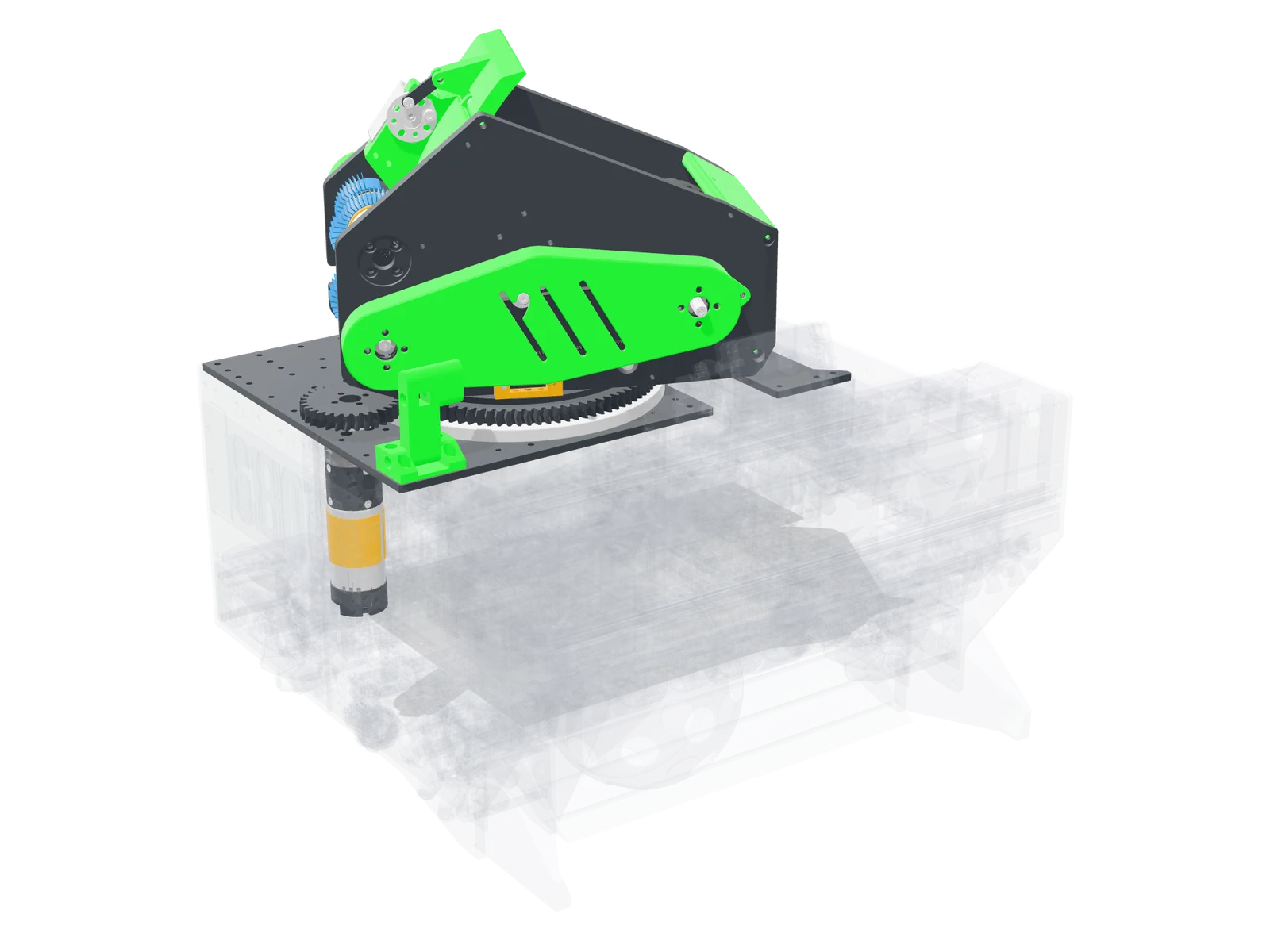
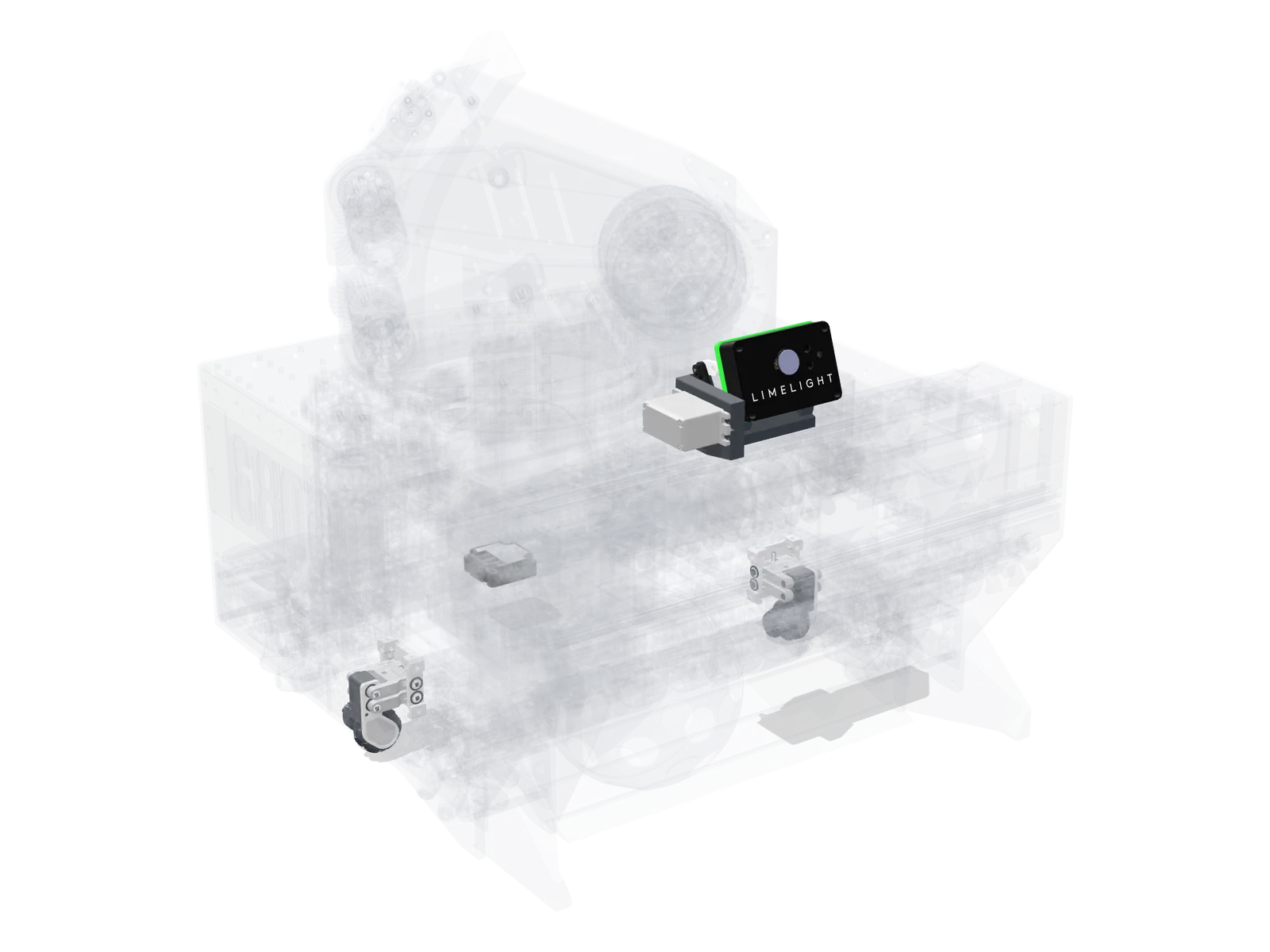
Hover over a subsystem
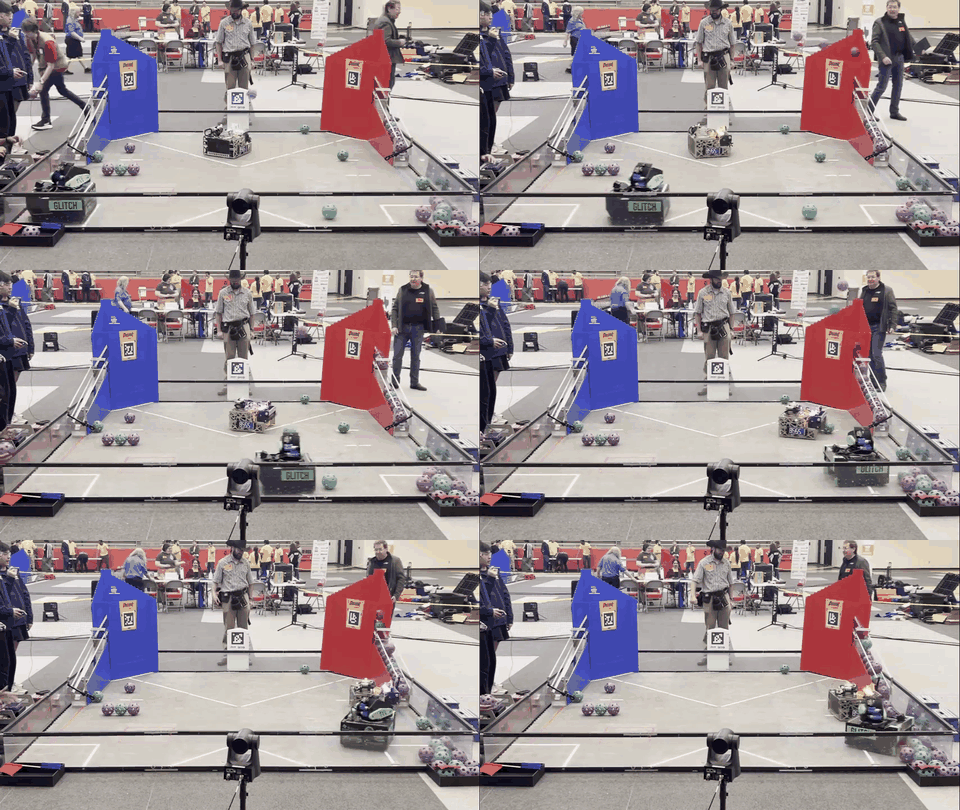
Full robot 01Drivetrain 02Intake 03Transfer 04Tipper 05Shooter & Turret 06Localization- Texas State Cup Champion — Winning Alliance Captain
- 6A UIL State Champion — Winning Alliance Captain
- North Texas Regional Championship — Finalist Alliance Captain
- World record score · News interview
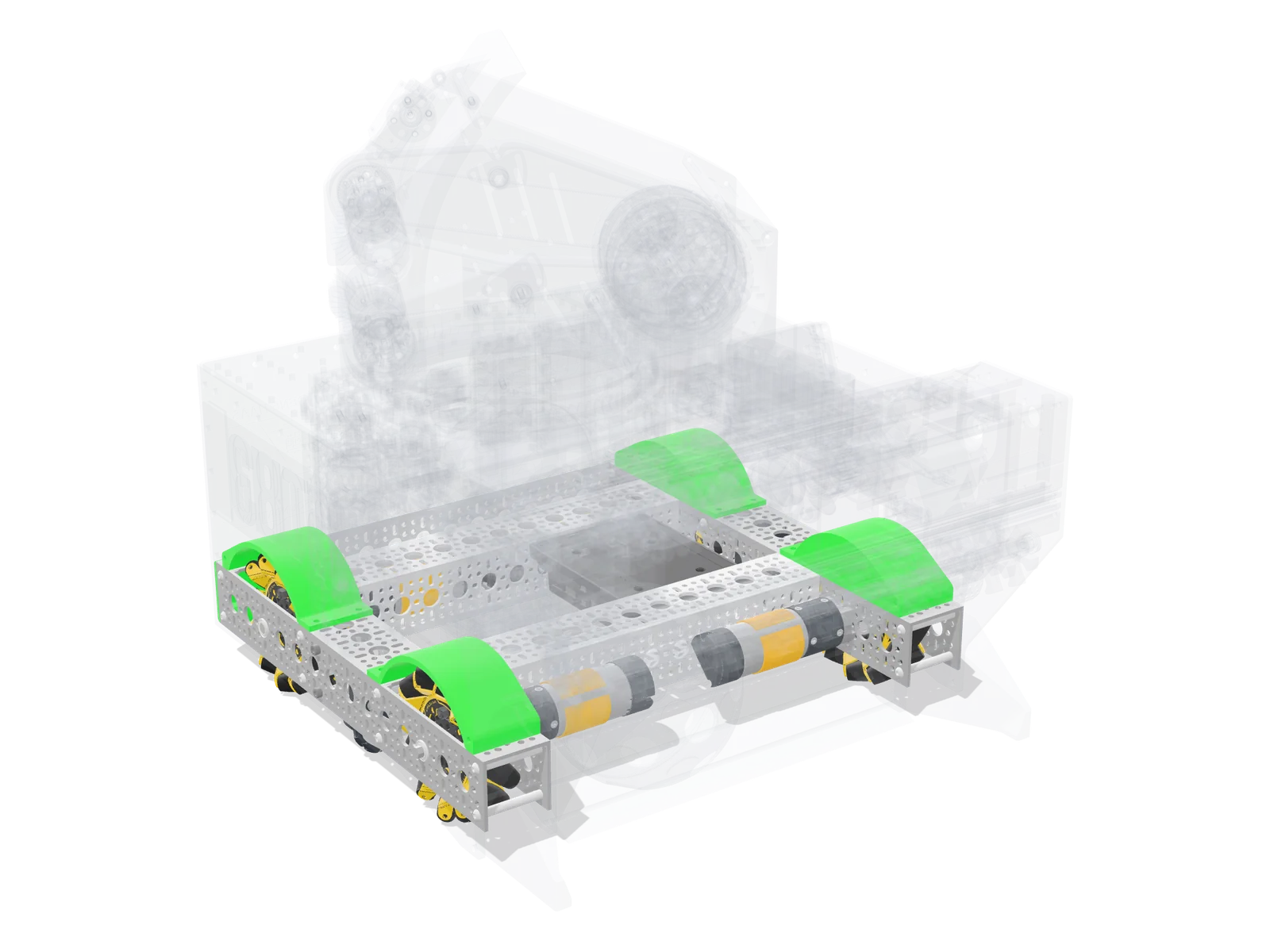
Drivetrain
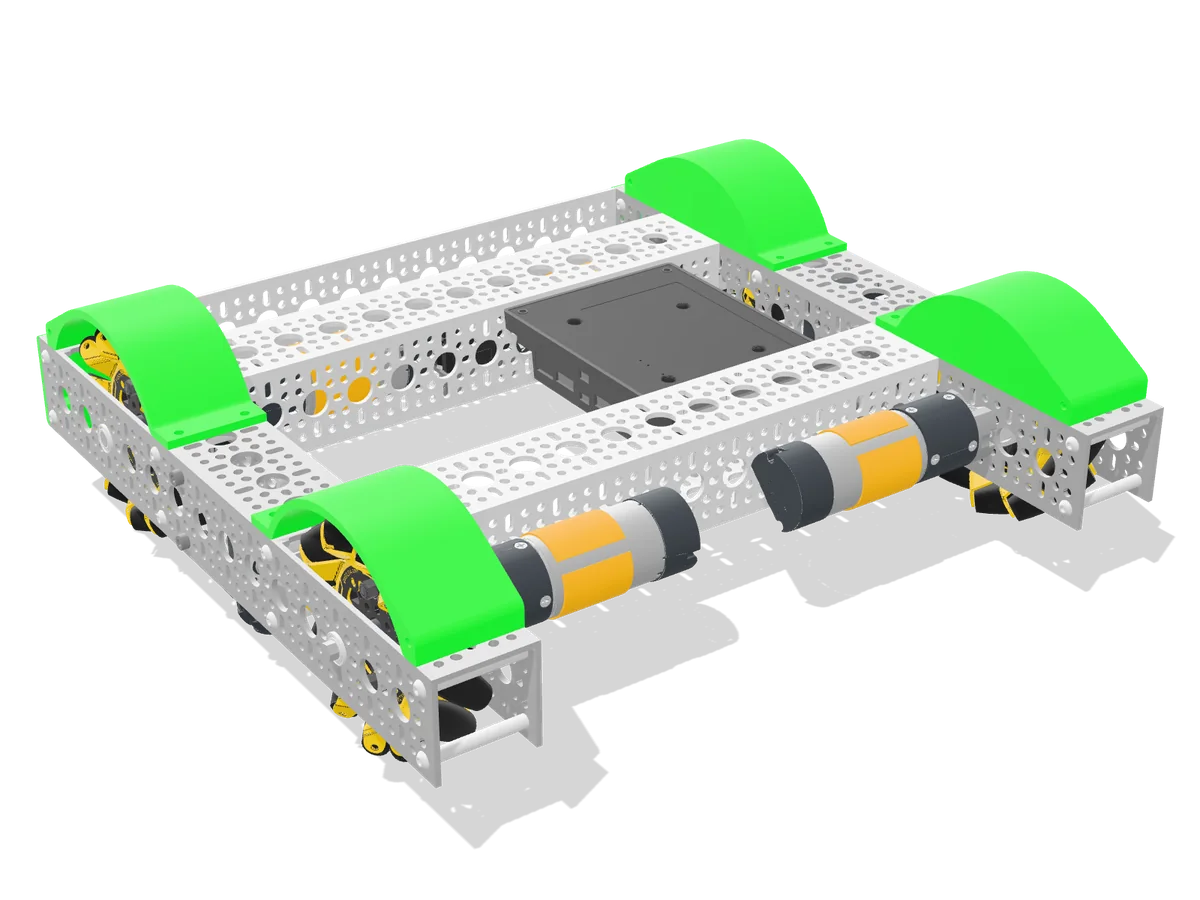
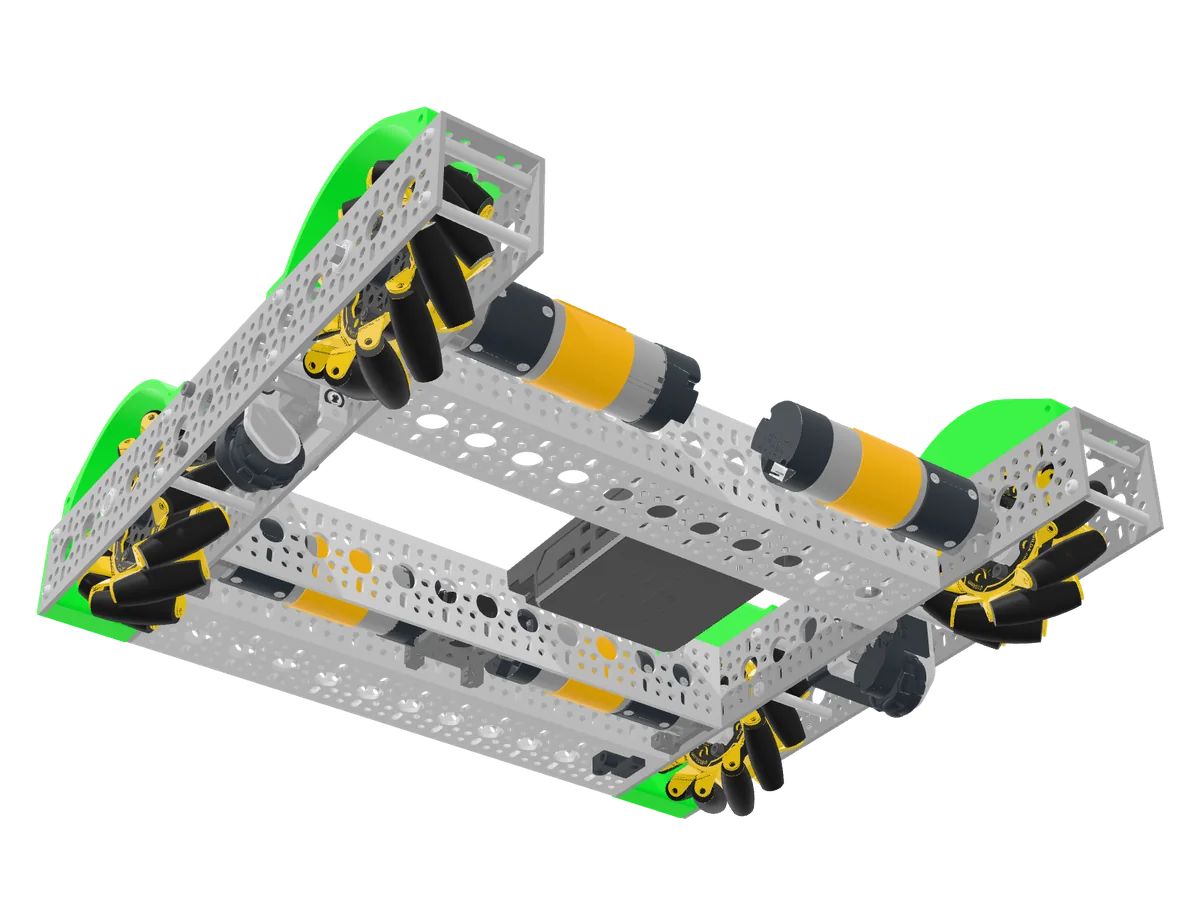
Low, defense-resistant mecanum base with pocketed aluminum tubing and dead-wheel odometry.
- Drive
- Four 104 mm goBILDA GripForce mecanum wheels (30A rollers for traction)
- Motors
- Four goBILDA Yellow Jacket 312 RPM
- Odometry
- Two goBILDA dead-wheel pods + Pinpoint IMU
- Structure
- Aluminum channel frame, PETG shells; FEA and drop tested
- Center of gravity
- 2.625 in up, 1.428 in back from center
- Size
- About 16.1 × 17.9 × 17.9 in (18 in limit)
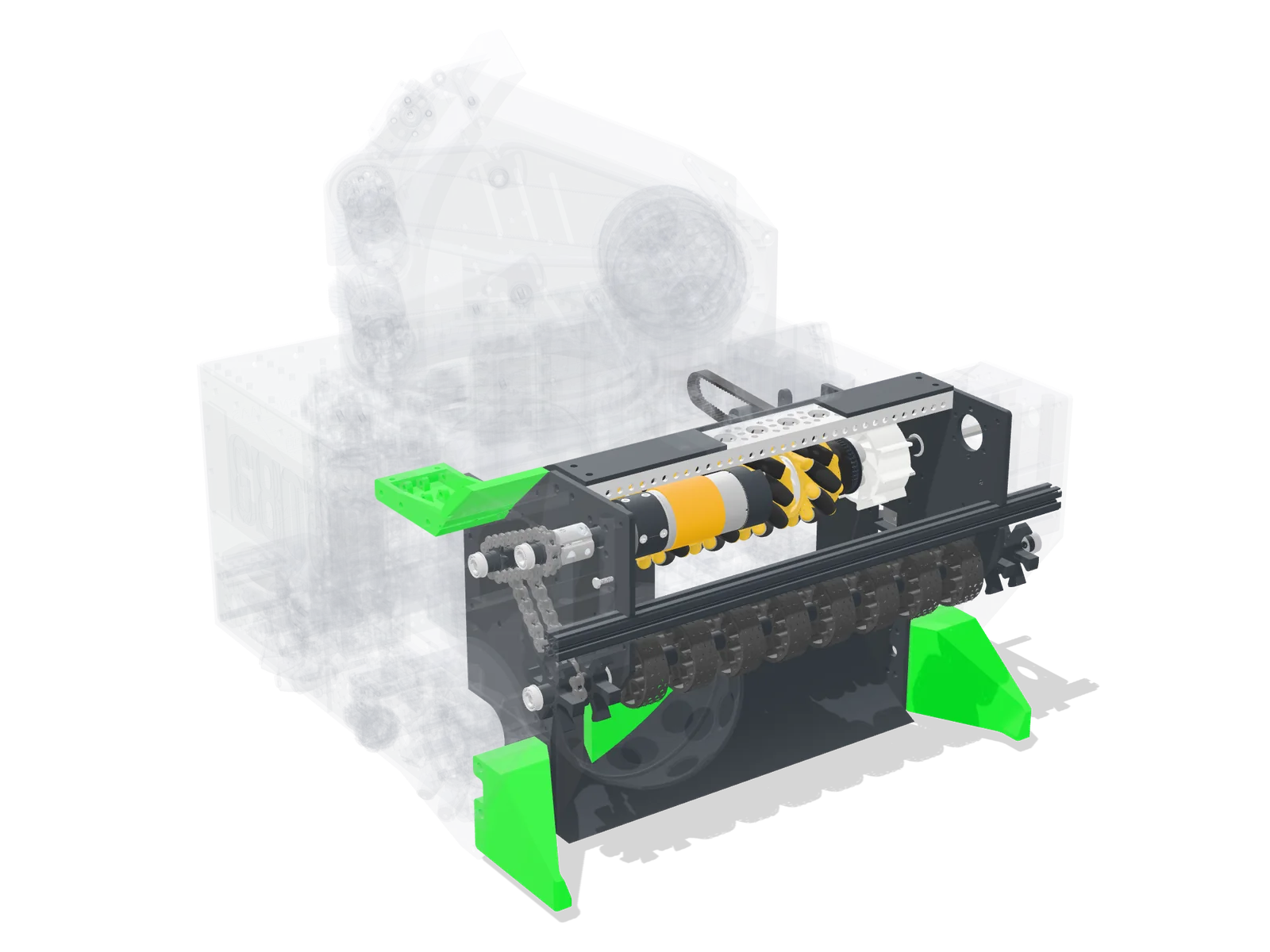
Intake
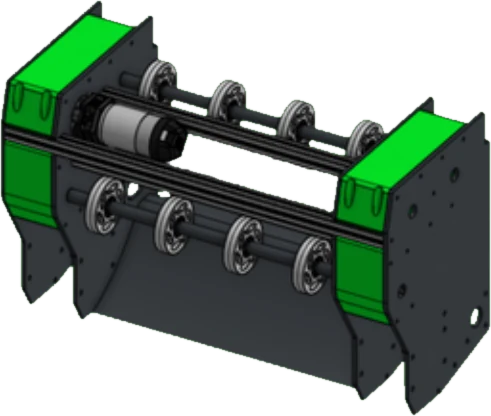
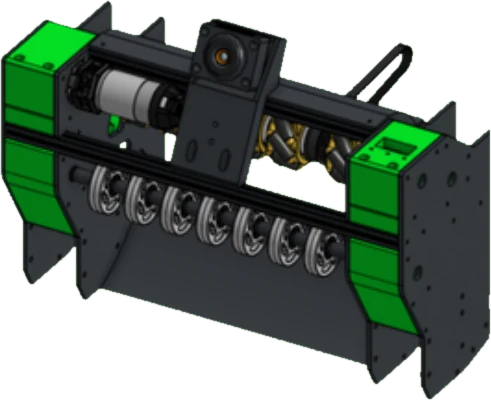
Full-width “touch it, own it” intake.
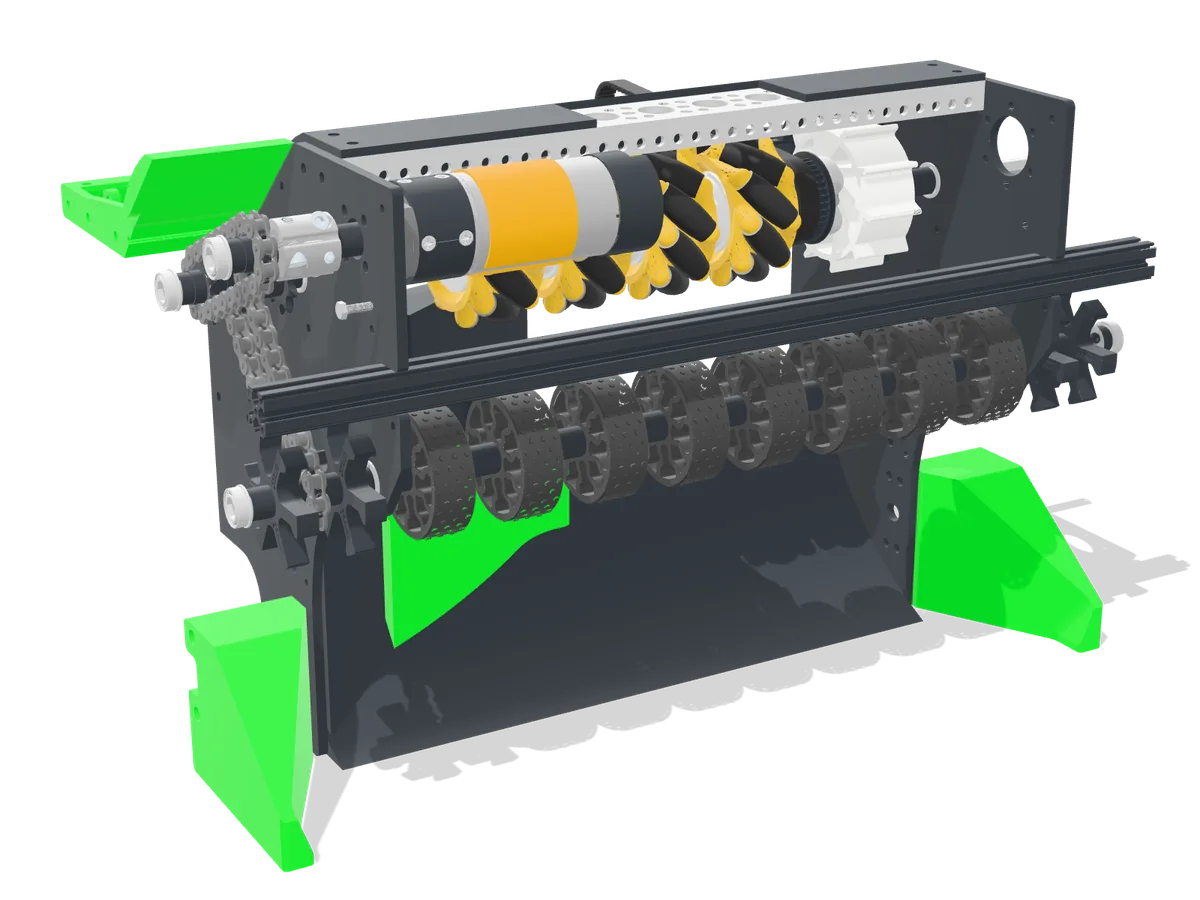
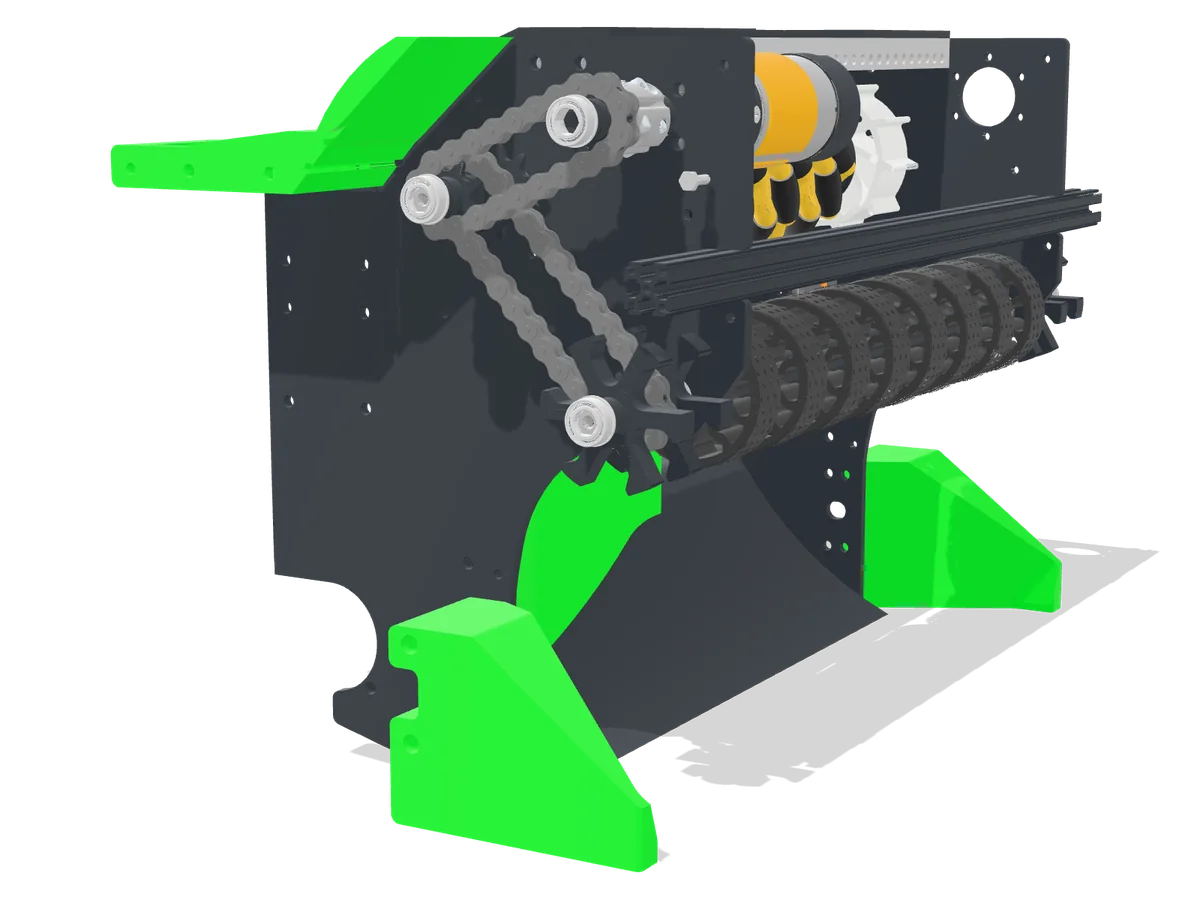
- Compliant wheels grab balls; wedges and boot wheels funnel them in.
- Mecanum wheels vector balls into the indexer to prevent jams.
- 1150 RPM motor with enough torque not to stall.
Iterations
-
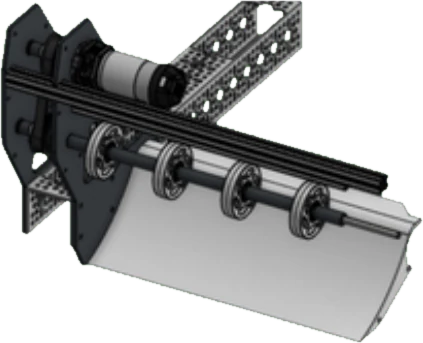
League Meet 112% jam rate
- One row of compliant wheels, 280 mm wide
- Dead zone caused jams; exposed belts wore out
-
Qualifier 14% jam rate
- Second row of compliant wheels, belt covers
- Still jammed from poor vectoring
-
Regionals3% jam rate
- Second row swapped for mecanum wheels; belt feeds the indexer
- No dead zones; 3-ball intake time down 86.7% over the season
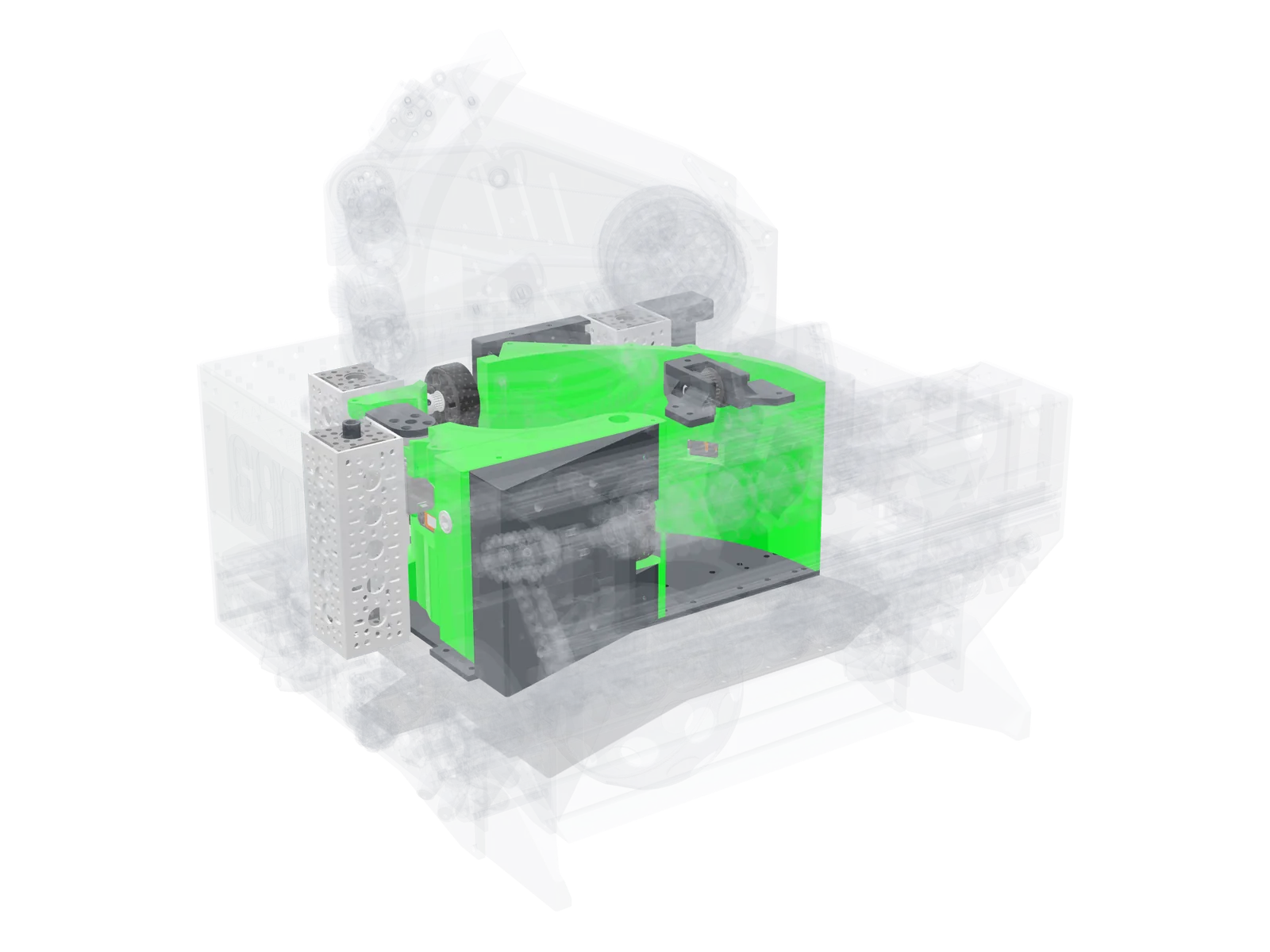
Transfer
Shell-shaped indexer that holds three balls and fires all three in about a second.
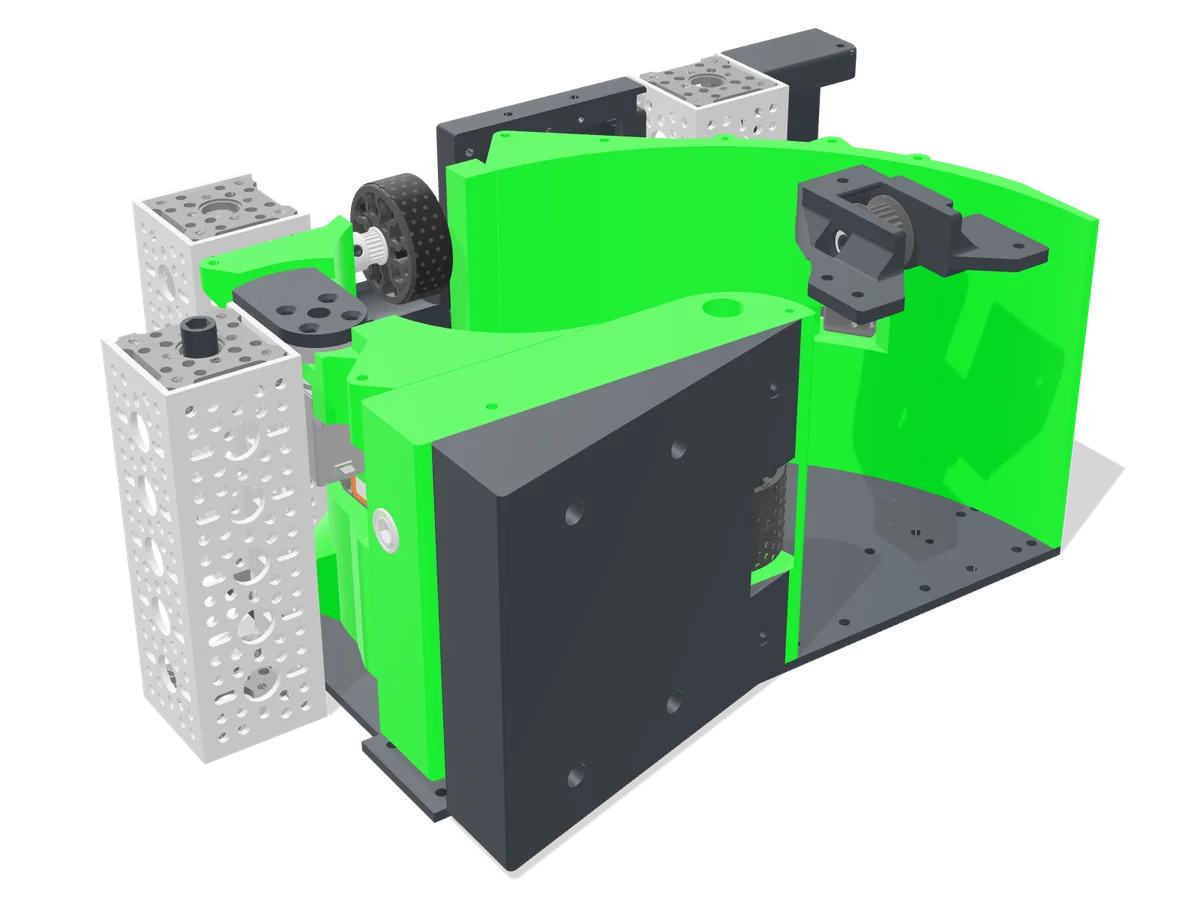
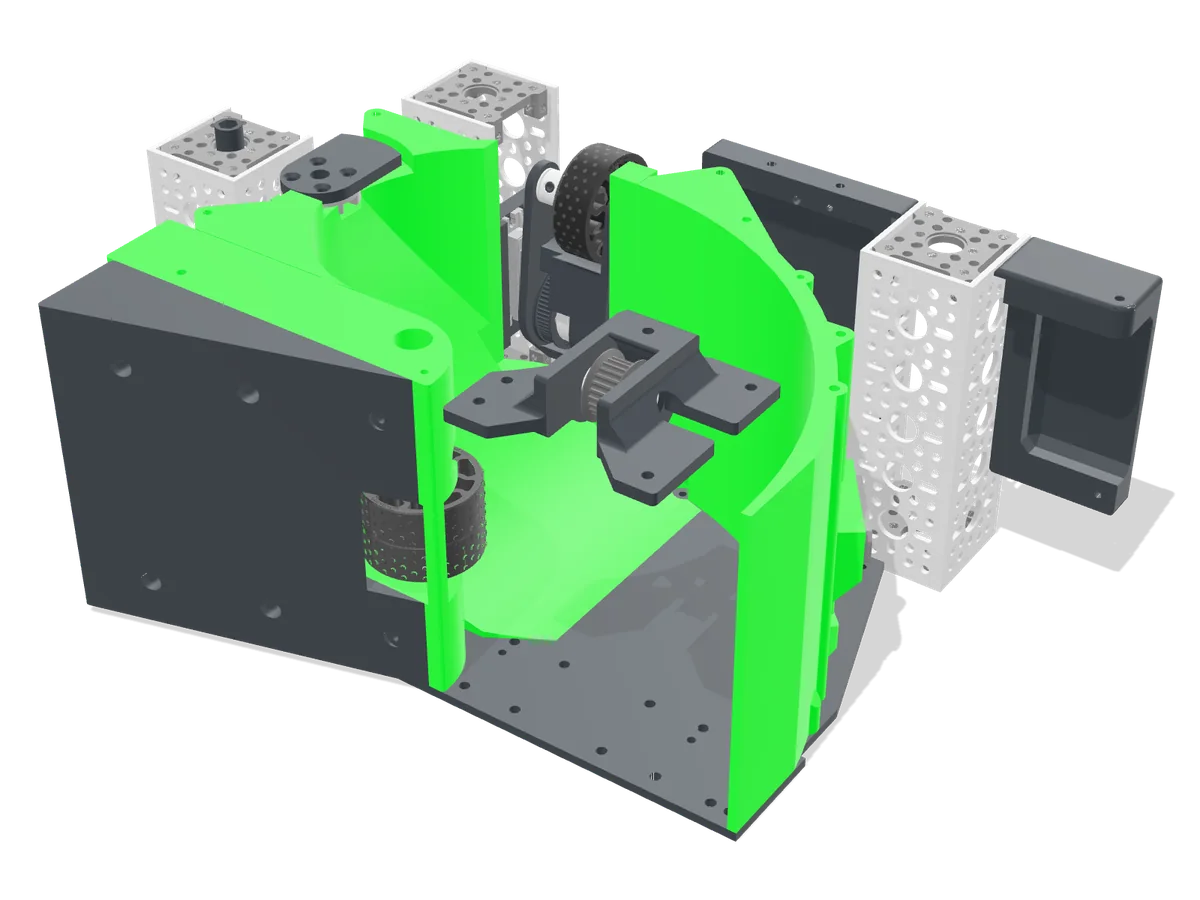
- Driven by the intake; a center wheel moves balls along the path.
- A gate prevents mistimed shots; a kicker feeds the shooter continuously.
- Non-sorting: scored about 30% more than our sorting prototype.
Iterations
-
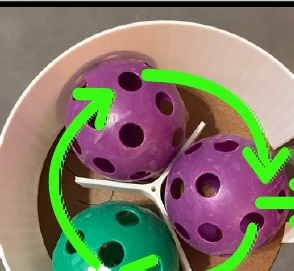
Spindexer
- Could sort by color, but cycles were very slow
-
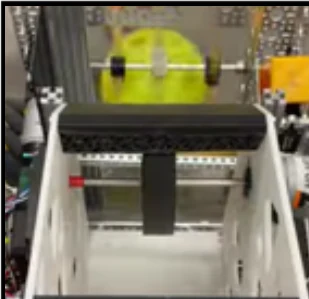
Shell path V1
- Faster, but couldn't hold three balls
-
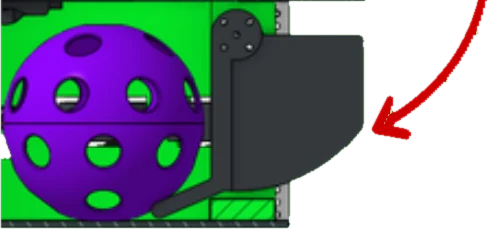
Shell path V2
- Held three, but kicker reset was slow and could misfire
-
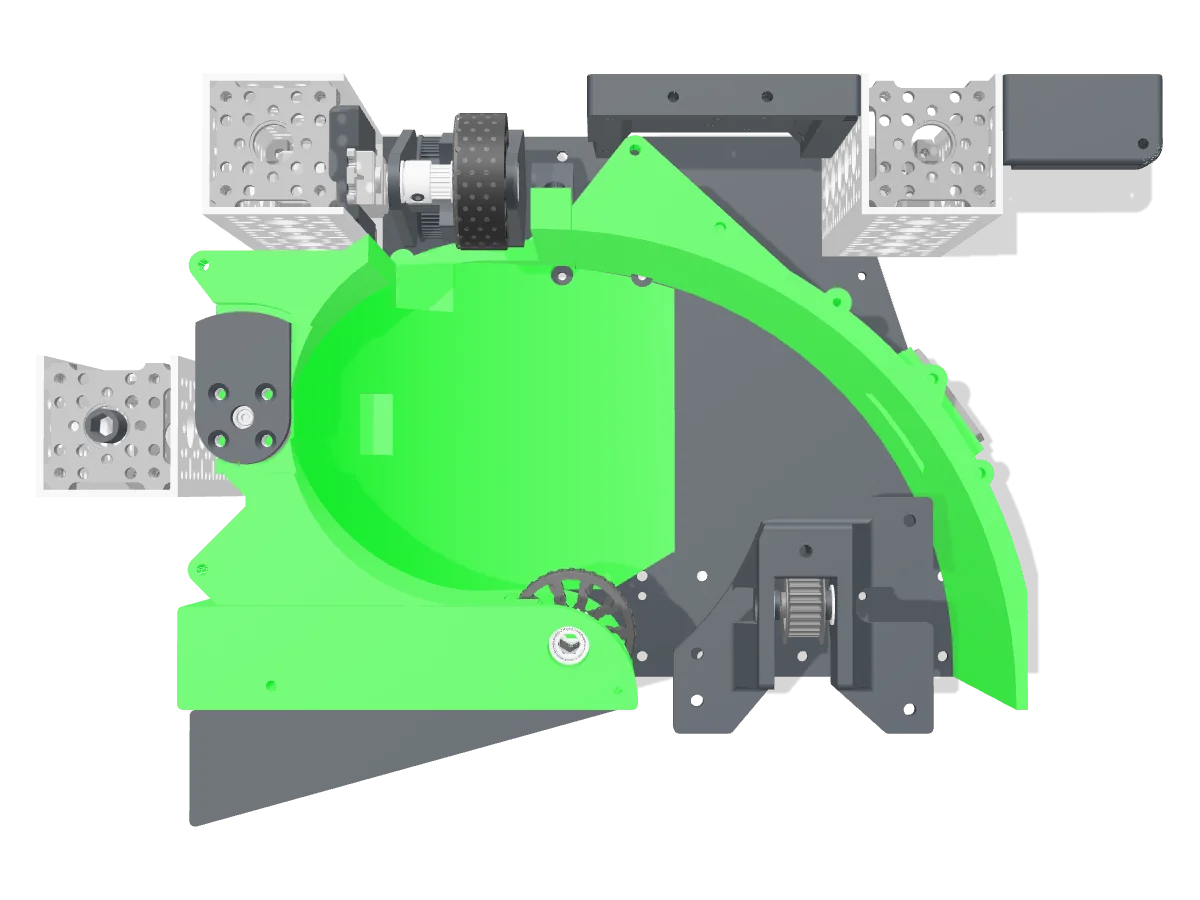
Shell path V3Final
- Center wheel, gate and continuous kicker: three shots in about a second
Tipper
Servo-driven lever that pushes against the floor to tilt the robot for parking.
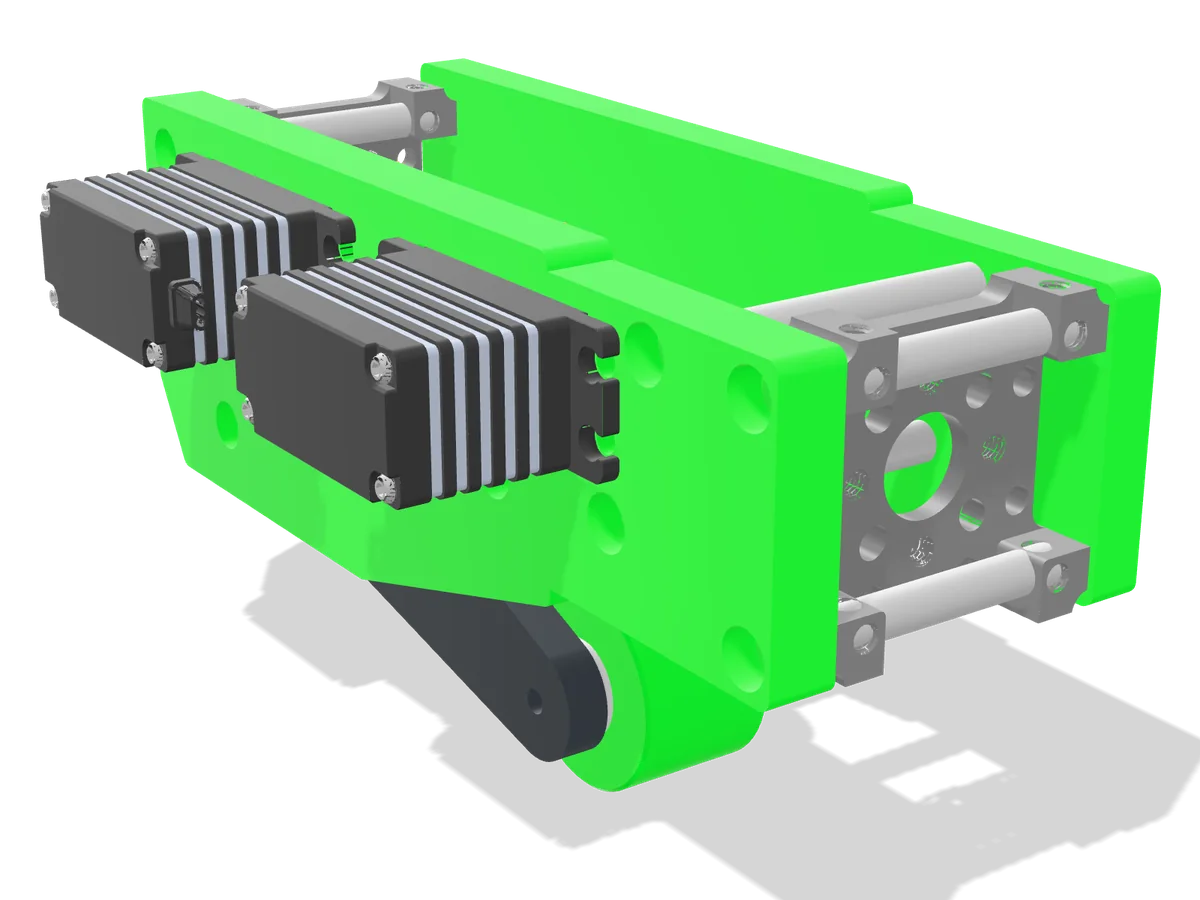
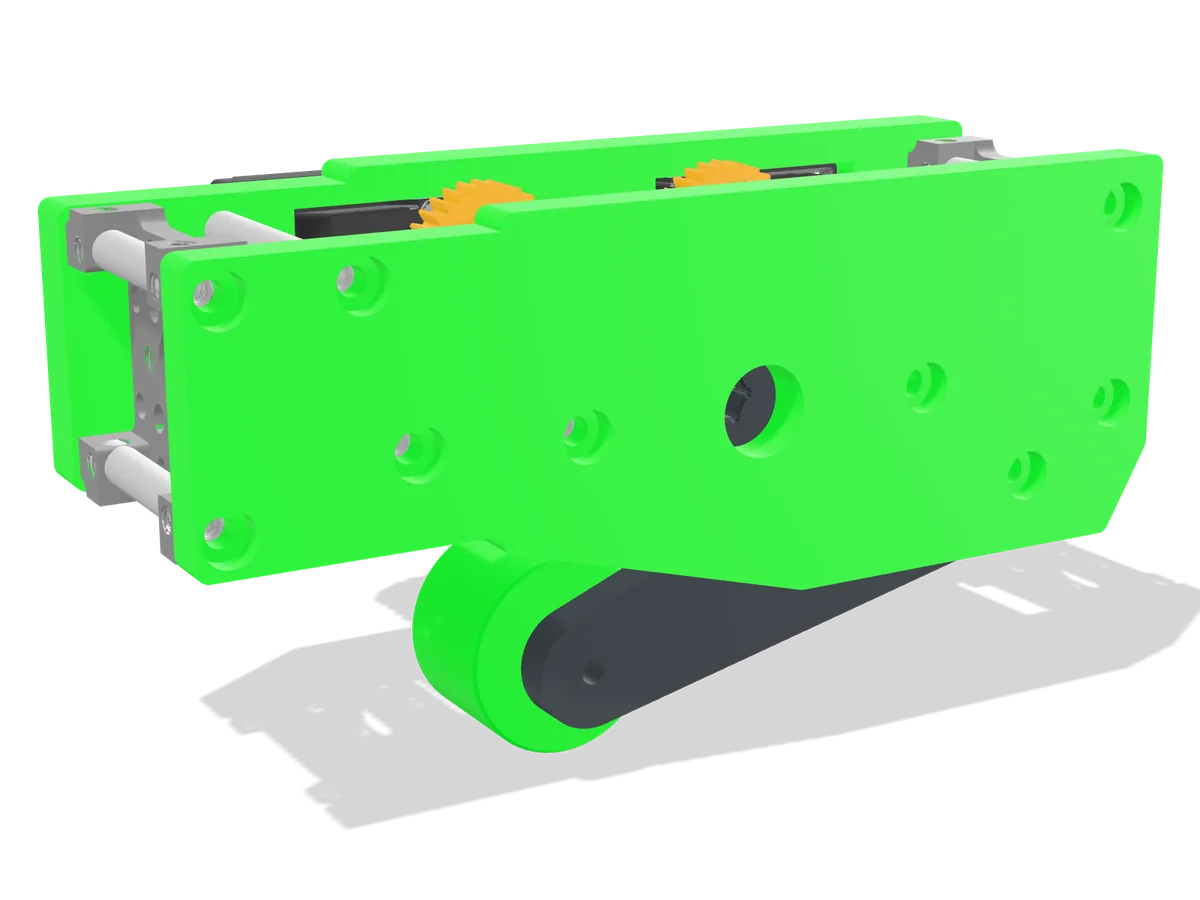
Added for Worlds to earn park ranking points. Servos were sized from the torque needed to tilt the robot 15°, with a safety factor of 2.
Shooter & Turret
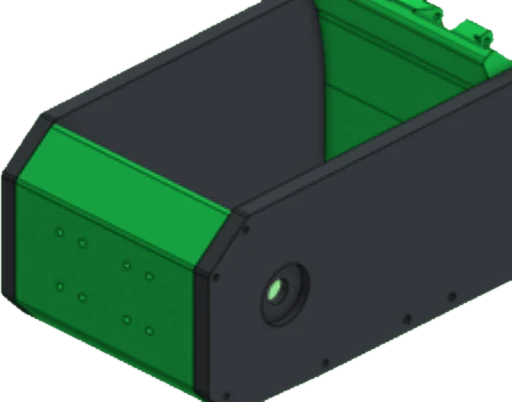
High-inertia flywheel shooter with an adjustable hood on a 400° turret.
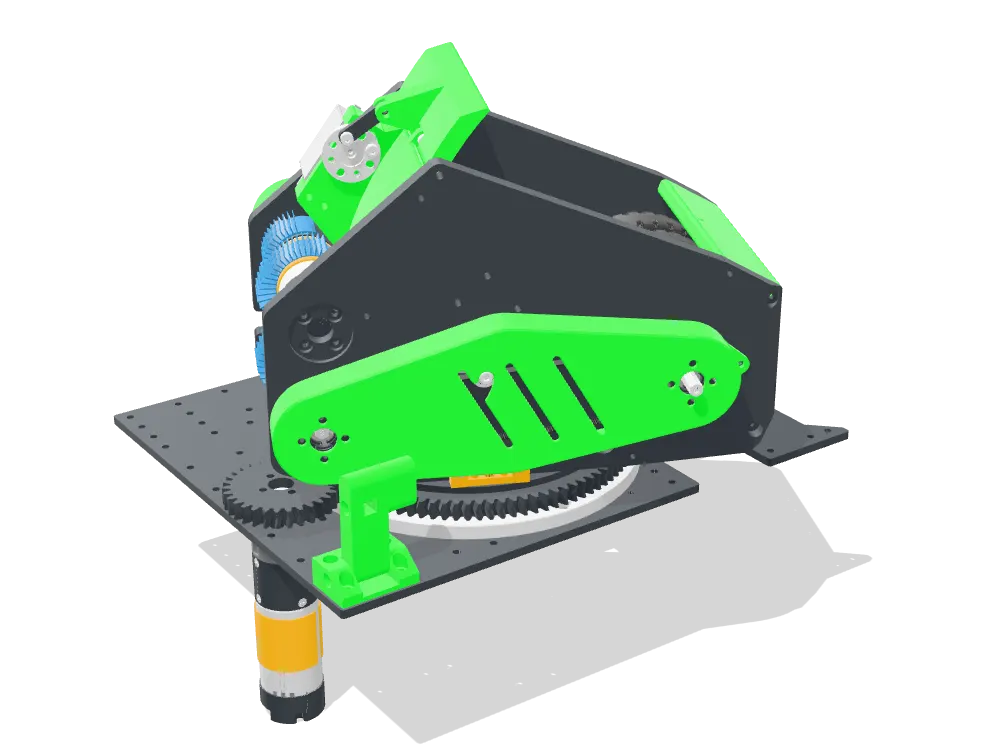
- 8,600 g·cm² of flywheels keep shot speed consistent: three shots in under a second.
- Two 6,000 RPM motors for fast spin-up and recovery.
- Hood adjusts 50° for close and far shots.
- Turret: 8 in bearing, 400° range at over 100 RPM, 3D-printed herringbone gears.
Iterations
-
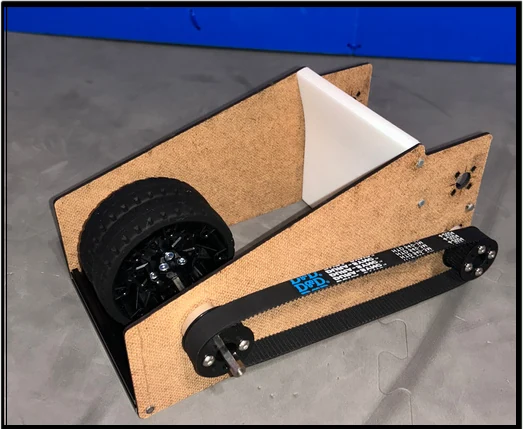
League Meet 1
- Fixed shooter, no turret: only worked from certain distances
-
Qualifier 1
- Turret and adjustable hood: usable anywhere
- Slow, inconsistent flywheel speed
-
Regionals & WorldsFinal
- Second motor and added flywheels: spin-up from 5 s to 3 s
Localization
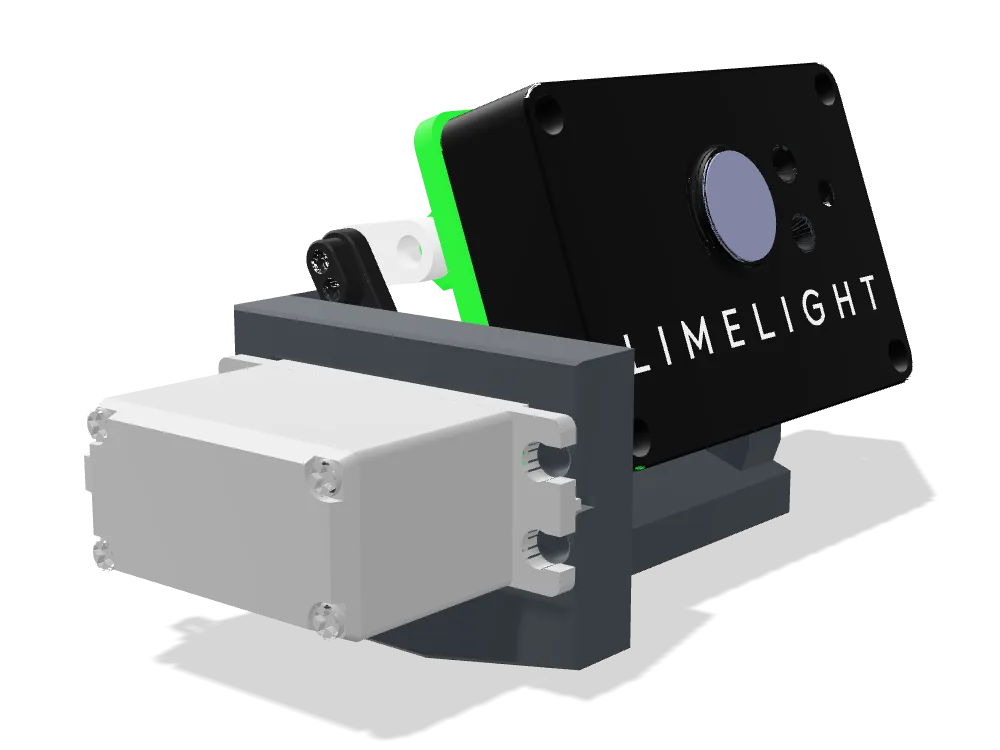
Limelight 3A on a servo pivot, two dead-wheel odometry pods and a goBILDA Pinpoint odometry computer.
Camera pivot: one camera, two jobs
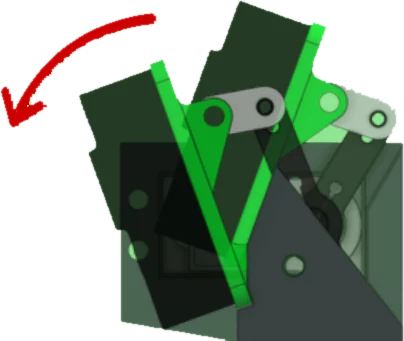
- The Limelight sits on a servo-driven four-bar linkage, so the camera's pitch can be changed during a match.
- Pitched down for ball tracking: the floor in front of the intake fills the frame, so the neural network can find artifacts for the vision-generated paths.
- Pitched up for AprilTag tracking: a higher angle keeps the goal and field tags in view for localization and aiming.
- The pivot switches with the robot's state: down while collecting in auto, up when it needs pose corrections, so a single camera covers both without a second Limelight.
Kalman-filtered localization
Odometry covers the whole match but drifts; AprilTags are precise but not always visible. A Kalman filter fuses them into one pose estimate within ~5 mm.
| Source | Strength | Weakness |
|---|---|---|
| Odometry (2 dead wheels + Pinpoint IMU) | Tracks the whole match | ~3–5% drift |
| AprilTag (Limelight) | ~2 mm accurate | Tag not always in view |
| Kalman-fused | Within ~5 mm of true position | |
How the filter works
The filter keeps a pose estimate (x, y, heading) and a number for how uncertain that estimate is. Every loop runs two steps:
-
1. Predict with odometryevery loop
- Dead wheels and the IMU move the estimate forward by how far the robot just traveled.
- Odometry error adds up, so the estimate's uncertainty grows each loop: the robot knows it is drifting.
-
2. Correct with an AprilTagwhen a tag is seen
- The Limelight reports where the tag says the robot is.
- The filter shifts the estimate toward that measurement by a weight, the Kalman gain, then shrinks the uncertainty.
- With no tag in view, the robot keeps running on odometry until the next correction.
- \(\Delta x_{odo}\)
- motion measured by dead wheels + IMU
- \(P\)
- uncertainty of the estimate
- \(Q\)
- drift added per loop
- \(z_k\)
- AprilTag pose measurement
- \(R\)
- noise of the tag reading
- \(K_k\)
- gain from 0 to 1: how far to shift toward the tag
A shifting bias
- The gain is a trust factor that changes on its own. The longer the robot runs on odometry, the larger \(P\) gets and the closer \(K\) moves to 1, so the next tag pulls the estimate further.
- A noisy or distant tag reading has a large \(R\), so \(K\) stays small and the estimate barely moves. One bad detection can't throw off the pose.
- Right after a good correction \(P\) is small, so odometry carries the estimate smoothly between tags instead of jumping around.
- The fused pose drives everything downstream: turret aim, shot distance, launch-zone checks and autonomous paths.
Software
Everything runs off one accurate field position: aiming, shot speed, hood angle and autonomous paths. The driver needs two buttons.
State machines
- Each subsystem runs its own finite state machine.
- Independent subsystems keep loop times under 20 ms.
- New features are new states, not rewrites.
Autonomous
Constrained to the 30-second autonomous period. Paths run on Pedro Pathing using predictive braking instead of PID path following, with our own state machines on top.
- Full Field Auto: 21 balls scored.
- Infinite Far Auto: cycles until time runs out, 33 balls scored.
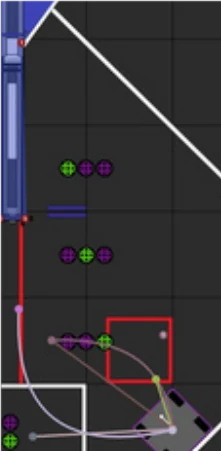
Bézier curve pathing
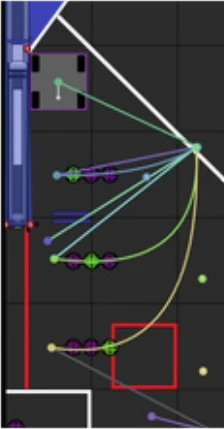
Every autonomous path is a chain of Bézier curves. Instead of listing every point the robot drives through, each segment is described by a handful of control points; the curve starts at the first, ends at the last, and is pulled toward the ones in between.
What the control points do
- The end points P₀ and P₃ are the poses the robot starts and finishes at.
- The line from P₀ to P₁ sets the direction the robot leaves in; P₂ to P₃ sets the direction it arrives in.
- Moving a control point farther out makes the robot hold that direction longer before turning, giving a wider, gentler arc.
- Lining up the control points across a joint keeps the path smooth, so the robot never has to stop and turn between segments.
- \(t\)
- progress along the segment, 0 to 1
- \(P_0, P_3\)
- start and end poses
- \(P_1, P_2\)
- control points that shape the curve
- \(B'(t)\)
- tangent: the direction of travel
- \(\kappa(t)\)
- curvature: how sharply the path bends
Following the curve
- Each loop the follower finds the closest point on the curve to the robot's Kalman-filtered pose.
- It drives along the tangent \(B'(t)\) at that point, and adds a correction that pushes the robot back onto the curve if it has drifted off.
- Curvature tells it how much centripetal force a turn needs, so it compensates before the robot slides wide on tight bends.
- Predictive braking uses the distance left along the curve to slow down early and stop on the end point, instead of overshooting and correcting with a PID.
Generating a path automatically
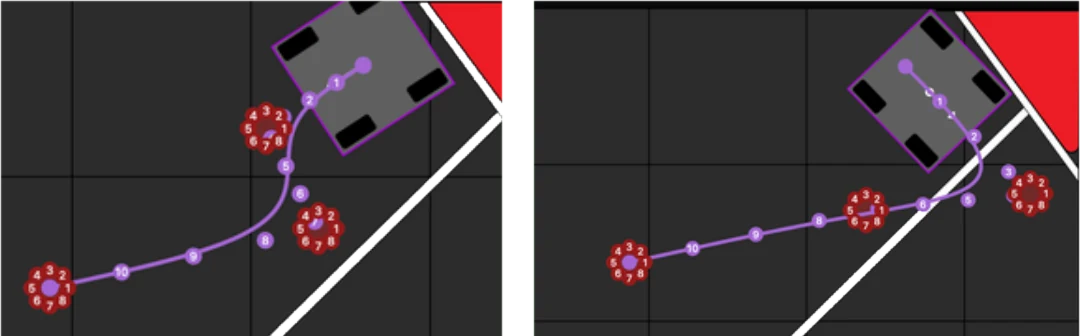
- 1Detect ballsFind the balls to collect
- 2Start pointP₀ = the robot's current pose
- 3End pointP₆ past the last ball
- 4Bend pointP₃, where the path changes direction
- 5Control pointsP₁ P₂ and P₄ P₅ shape each segment; P₂, P₃, P₄ in line keeps the bend smooth
- 6Draw the pathTwo cubic Bézier segments joined at P₃
- 7Follow and collectDrive the path, intake each ball
The same math powers the vision-generated paths: the robot places control points around the detected ball cluster at run time, so one curve sweeps through every ball in the cluster.
Vision-generated paths
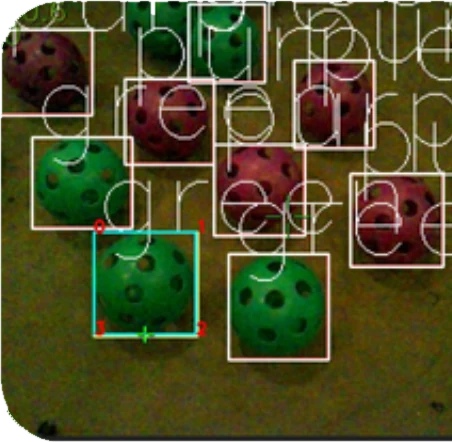
- Custom TensorFlow model trained on 5,436 images detects balls.
- The robot finds the densest cluster and generates a Bézier path live to collect three.
- A* search handles the on-the-fly path planning.
- In teleop it cuts about 5% of driving time.
Turret aiming
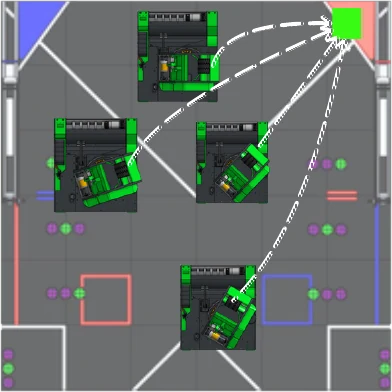
Aims from field position, not the camera, so it works even when the goal is blocked. The turret motor control algorithm uses a trapezoidal motion profile.
Shot control
Every shot is set by distance to the goal. Three lookup tables, tuned by shooting from measured spots on the field, map that distance to a flywheel speed, a hood position and the ball's flight time.
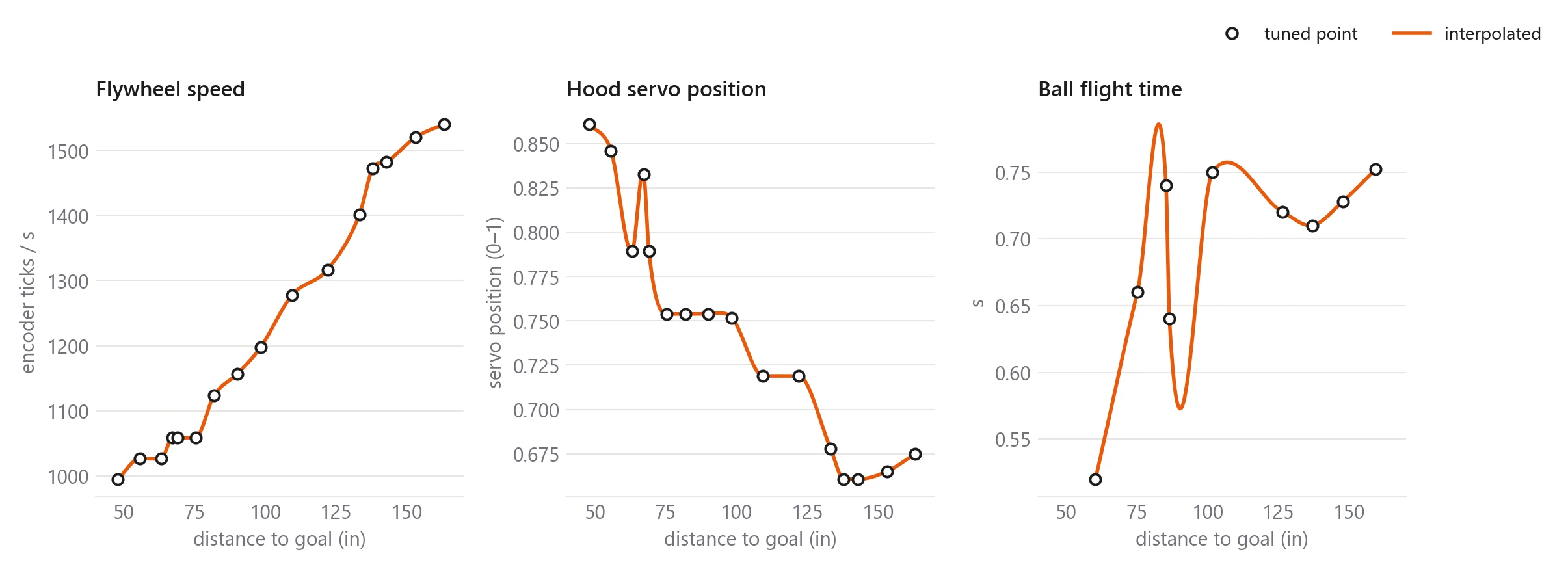
- Interpolation: The lookup table fits a smooth cubic Hermite spline through the points, so any distance in range gets a value. Distances outside the table are clamped to its ends.
- Bang-bang flywheel control: full power when more than 15 encoder ticks/s below target and coasting near it. It only drives backward if more than 120 encoder ticks/s over, which gives the fastest recovery between shots.
- Ready check: the shoot command waits until the flywheel is within 60 encoder ticks/s of its target.
Shoot on the move
A ball shot while driving keeps the robot's velocity, so the robot aims from where it will be when the ball arrives, not where it is now.
- Flight time from the table: the distance gives a flight time, which gives a predicted shooter position from velocity and acceleration.
- Iterated 5 times: the new position changes the distance, which changes the flight time, so the loop repeats until it settles.
- One distance for everything: the compensated distance sets the turret angle, flywheel speed and hood together.
- Filtered acceleration: a low-pass filter keeps noisy acceleration readings from shaking the aim.
- \(\mathbf{p}_0, \mathbf{v}, \mathbf{a}\)
- shooter position, velocity and filtered acceleration now
- \(\mathbf{g}\)
- goal position
- \(T_{LUT}\)
- flight-time lookup table
Driver automation and sensors
- Two buttons: one to intake, one to shoot. Plus a full-auto mode and auto-park.
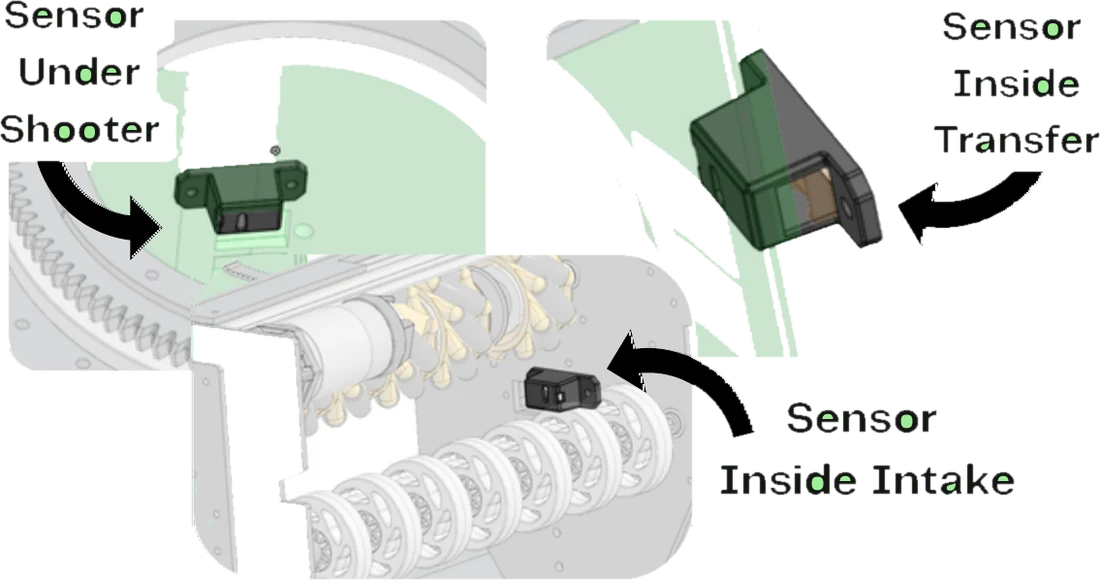
- Three color sensors track balls through intake, transfer and shooter.
- Current sensing on the intake triggers an automatic anti-jam.
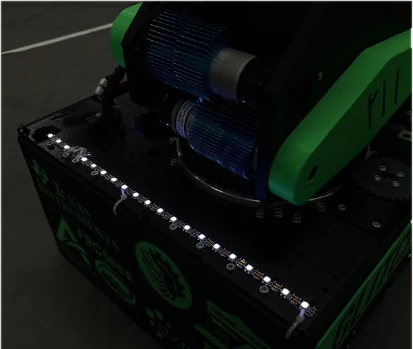
- 21-LED strip shows ball count; the controller vibrates when ready to shoot.
Design approach
“Fail fast, learn faster.” Decide with data, test cheaply, iterate often, and only keep complexity that earns its place.
From idea to final part
-
1. Decide with data
- Key choices start with decision matrices and measured numbers, not opinions.
- Example: we built and timed both a sorting and a non-sorting indexer. The non-sorting design scored about 30% more, so it won despite making the Pattern RP harder.
-
2. Test with low-fidelity jigs
- Concepts are proven on quick jigs before any final CAD, such as a modular intake with adjustable mounting holes to find the right compression.
-
3. Iterate in small steps3+ versions per subsystem
- Every subsystem went through at least three major iterations, each fixing one measured problem.
- Intake jam rate fell 12% → 4% → 3% and three-artifact intake time dropped 86.7%; shooter spin-up went from 5 s to 3 s.
-
4. Validate before competition
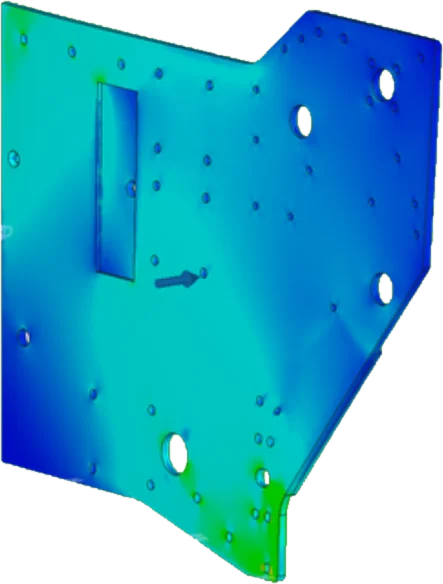
- Structural parts get FEA and drop tests; the robot is checked against heavy defense before events.
-
5. Simplify
- Features that stop paying off get removed. The early brake pads were taken off once shoot-on-the-move worked, and a parking mechanism waited until it was worth the weight (the Worlds tipper).
CAD and analysis
- Onshape for collaborative CAD, using industry practices like master sketches and variable dimensions, so whole parts update from a single value.
- Onshape mass properties gave the flywheels' moment of inertia to tune shooter spin-up.
- Fusion 360 FEA on structurally important parts to find likely failure points before printing.
- Team members earned Certified Onshape Associate, SolidWorks Additive Manufacturing and iCEV safety certifications.
Materials and manufacturing
Rather than switching to aluminum after prototyping, we kept 3D printing for the final robot: over 70% printed on an aluminum superstructure. It made manufacturing faster, iteration easier and the robot lighter and modular, and it made parts like the shell-shaped indexer possible.
| 3D printing | Aluminum | |
|---|---|---|
| Prototype speed | Quicker | Slower |
| Cost | Cheaper | Pricier |
| Weight | Lighter, modular | Heavier, less modular |
| Strength | Weaker | Stronger (kept for the frame) |
| PLA | PETG | |
|---|---|---|
| Use | Prototypes | Final parts |
| Cost / print time | Cheaper, faster | Longer print time |
| Strength | Less durable | Stronger |
| Heat | Melts in extreme heat | Better heat resistance |
The filament split came from testing each material. PETG shells also protect the electronics while weighing less than aluminum panels.
Designing to take a hit
- Low center of gravity, 2.625 in up and 1.428 in back from center, so defenders can't easily push the robot.
- 30A durometer mecanum rollers for traction and acceleration under contact.
- Durable side plates, checked with FEA and drop tests.
- Result: the robot held up through very aggressive defense at Regionals and States with zero mechanical failures on the season.